
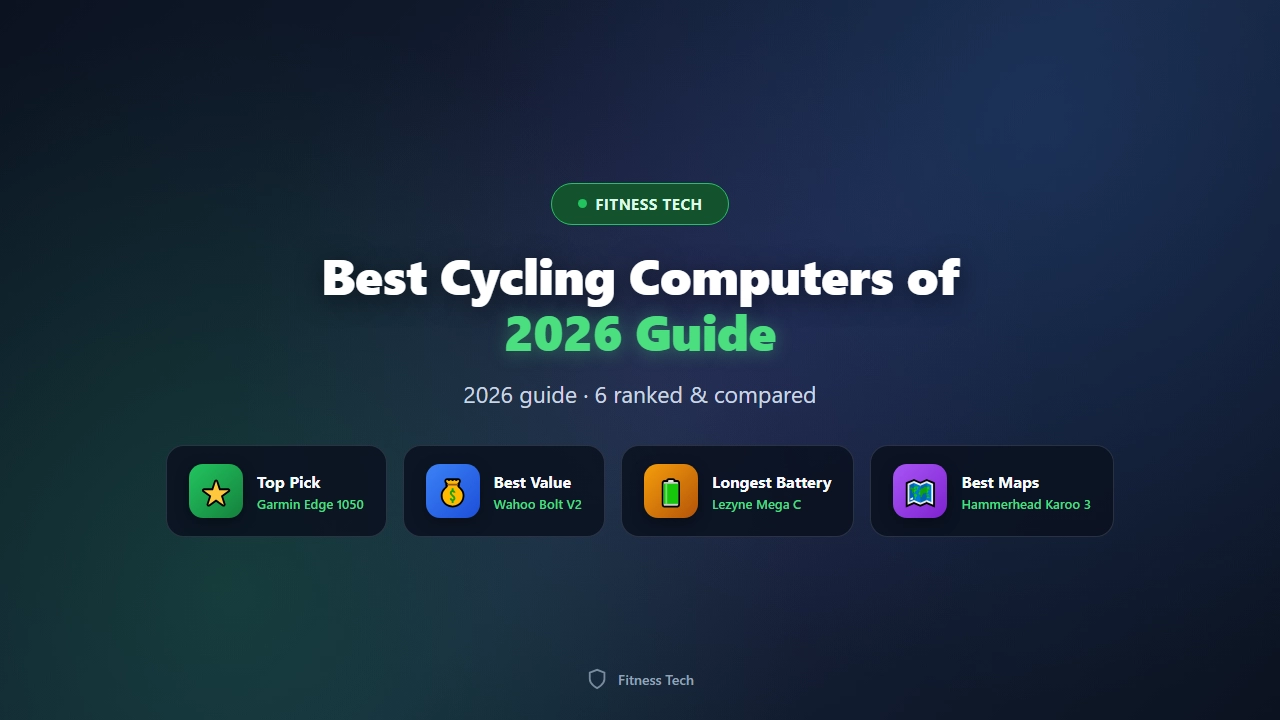
The best cycling computers of 2026 do far more than show your speed. Today’s GPS bike computers guide your route with turn-by-turn navigation, track power, heart rate, and cadence, and sync your rides to the same training apps you already use. If you are training seriously, commuting, or simply exploring new roads, the right computer changes the ride. This guide ranks the top GPS bike computers you can buy in 2026, with honest pros and cons, real-world prices, and a clear buy guide so you can pick the unit that fits your riding style and budget.
Picking the wrong device is an easy mistake. A heavy, complicated flagship is overkill for a casual commuter, while a bare-bones model will frustrate a rider who wants full colour mapping and climb-by-climb planning. Below we rank six standout units across budgets and use cases, then break down exactly what to look for before you spend a dollar. Every pick here pairs with standard ANT+ and Bluetooth sensors, so your existing heart-rate strap or power meter will almost certainly connect.
The best cycling computers of 2026, ranked
Our ranking balances screen quality, navigation, battery life, sensor support, and value. Prices are typical retail in US dollars and drift with sales. The “best for” column is the fastest way to self-select: match it to how and where you ride.
| Rank | Model | Price (approx.) | Best for | Battery | Screen |
|---|---|---|---|---|---|
| 1 | Garmin Edge 1050 | $699 | All-round flagship | Up to 26 h | 3.5″ colour touch |
| 2 | Hammerhead Karoo 3 | $599 | Best display & mapping | Up to 18 h | 3.2″ colour touch |
| 3 | Garmin Edge 540 | $349 | Best mid-range | Up to 26 h | 2.6″ colour |
| 4 | Wahoo ELEMNT Bolt V2 | $299 | Best value | Up to 15 h | 2.2″ colour |
| 5 | Lezyne Mega C GPS | $199 | Longest battery | Up to 28 h | 2.2″ colour |
| 6 | Bryton Rider 420 | $159 | Best budget | Up to 35 h | 2.3″ colour |
Detailed reviews: the standout GPS bike computers
Garmin Edge 1050 — the best all-rounder
The Edge 1050 sits at the top of Garmin’s lineup and earns it. The 3.5-inch colour touchscreen is the brightest and sharpest in the test group, readable in direct sun, and the new unified profile means setup is less fiddly than older Edges. You get full routable maps, ClimbPro climb planning, rider-to-rider messaging where coverage exists, and genuinely class-leading battery life of around 26 hours with the screen on.
Pros: superb screen, deep training features, excellent battery, wide sensor and app ecosystem. Cons: expensive, touchscreen can be finicky with gloves, the feature depth is intimidating for new riders.
Hammerhead Karoo 3 — the best screen and mapping experience
Hammerhead built the Karoo around a phone-grade interface, and the Karoo 3 refines it further. The 3.2-inch display is gorgeous, the pan-and-zoom maps feel natural, and over-the-air updates keep adding features. It pairs cleanly with Strava, RideWithGPS, and Komoot, and the on-device routing is among the smartest available. Battery is solid at up to 18 hours but trails the Garmin flagships.
Pros: best-in-class map UX, frequent free software updates, clean setup. Cons: shorter battery than Garmin, slightly heavier, smaller third-party accessory market.
Garmin Edge 540 — the sweet spot for most riders
If you do not need a giant touchscreen, the Edge 540 is the pragmatic pick. It keeps the buttons (easier with winter gloves), full navigation, training metrics, and the same ~26-hour endurance as its pricier sibling, at roughly half the cost. It is the computer we recommend to the largest number of riders.
Pros: outstanding value, button controls, long battery, complete feature set. Cons: smaller, non-touch screen, no built-in speaker or fancy extras.
Wahoo ELEMNT Bolt V2 — the easiest to live with
Wahoo’s strength has always been simplicity, and the Bolt V2 delivers. Setup happens on your phone, the on-device pages are clean, and the integrated out-front mount is tidy. Navigation is competent rather than map-rich, which is perfect for riders who follow a course rather than free-explore. At $299 it undercuts the mid-range Garmin while feeling premium.
Pros: effortless setup, great mount, reliable, good price. Cons: smaller screen, less detailed mapping, shorter battery than button Garmins.
Lezyne Mega C GPS — the battery champion
For audax, bikepacking, and multi-day tours, the Lezyne Mega C is hard to beat at the price. It pushes up to 28 hours of recording, has a clear colour screen, and reads sensors and routes without drama. The interface is more basic than Garmin or Hammerhead, but for riders who value endurance and simplicity it is a quiet hero.
Pros: long battery, affordable, robust. Cons: dated menu system, navigation is functional not flashy, smaller community.
Bryton Rider 420 — the best cheap cycling computer
The Bryton Rider 420 proves you do not need to spend big to get GPS, ANT+/Bluetooth sensors, and a colour display. Battery life is genuinely impressive at up to 35 hours. The software is less polished and the screen is modest, but as a first computer or a backup unit it is excellent value.
Pros: lowest price, long battery, full sensor support. Cons: basic screen and UI, slower GPS lock, limited smart features.
How to choose the right cycling computer
Matching the device to your riding saves money and frustration. Walk through these five questions before you buy.
1. Do you need maps or just a course? If you follow pre-planned routes, a breadcrumb or simple course line is enough, and the Wahoo Bolt or Bryton handles it. If you want to search for a café mid-ride or reroute on the fly, you need full colour mapping (Garmin Edge 1050/540, Hammerhead Karoo).
2. How long are your rides? Commutes and short loops suit any unit. All-day sportives and multi-day tours demand 20+ hours; the Lezyne Mega C, Garmin Edge 540/1050, and Bryton Rider 420 lead here. Always size battery for your longest planned day plus a margin.
3. Touchscreen or buttons? Touchscreens (Garmin 1050, Karoo) are slick but awkward with gloved or wet hands. Buttons (Edge 540) are reliable in any weather. Many riders prefer buttons for winter training.
4. Which sensors will you use? All units here read ANT+ and Bluetooth heart-rate, cadence, and speed sensors, and most pair with power meters. Confirm your specific power meter brand is supported before committing.
5. What is your budget? Under $200 the Bryton and Lezyne deliver the essentials. Around $300 the Wahoo Bolt is the value king. At $350 the Garmin Edge 540 is the best all-round buy, and the flagships above $600 only pay off if you want the biggest screens and deepest training tools.
Sensors and apps: getting the most from your computer
A GPS computer is only as useful as the data it records. Pair a heart-rate strap for effort-based training, a cadence sensor to smooth your pedalling, and a power meter if you train by watts. All six picks sync to Strava, and most also push to TrainingPeaks, Komoot, and RideWithGPS. Set your data pages before the ride, not at the lights — spend ten minutes in setup and every screen will show what you actually use.







Leave a Comment