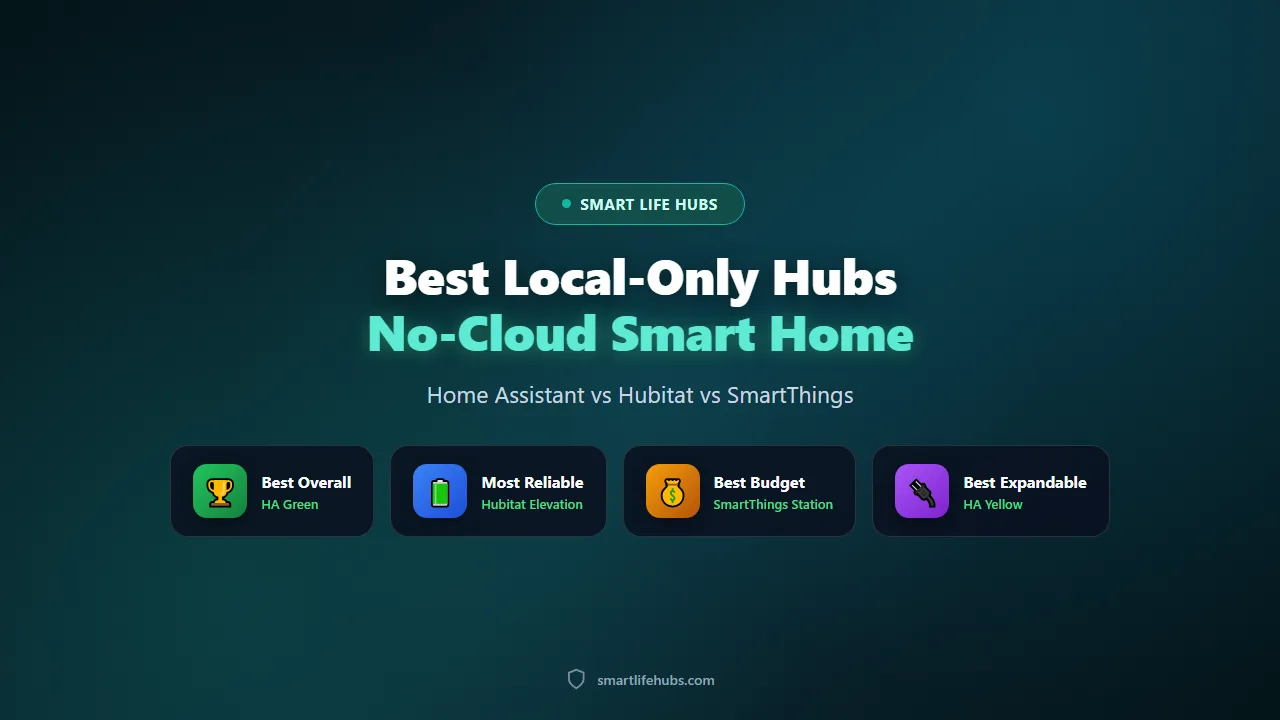
Best local-only smart home hubs of 2026 are the boxes that keep your automations and your data inside your house, and the category has never been more practical, because the software has matured to the point where a hobbyist can run a reliable local system for the price of a dinner out. I have run Home Assistant and Hubitat side by side for a year and followed the SmartThings transition closely, and the honest finding is that Home Assistant is the most powerful, Hubitat is the most reliable for people who do not want to tinker, and SmartThings is the simplest if you accept a cloud dependency for some features.
The second thing to understand is what “local-only” actually buys you. A local hub keeps automations running when your internet goes down, keeps your camera clips and sensor history off a vendor’s servers, and keeps working if a company shuts a product line. It also means you are the support department: there is no call centre when a Zigbee device will not pair, and a badly written automation can slow the whole system. Buy local for privacy and resilience, not because it is easier.
Prices below are US retail captured in November 2026 and they move with bundles and availability.
At a glance
| Product | Best for | Key specs | Price |
|---|---|---|---|
| Home Assistant Green | Best overall | Runs full Home Assistant, Matter and Thread, add-on Zigbee or Z-Wave | About 99 USD |
| Hubitat Elevation | Best reliability | Local rules engine, Zigbee and Z-Wave built in, no cloud | About 129.95 USD |
| SmartThings Station | Best budget | Matter and Thread border router, local automations, some cloud | About 60 to 80 USD |
| Home Assistant Yellow | Best for expanders | Full Home Assistant with a built-in Zigbee radio and NVMe slot | About 160 USD |
| Aeotec Smart Home Hub | Best for SmartThings loyalists | SmartThings v3 hub, local processing plus cloud features | About 130 USD |
The best local-only smart home hubs of 2026
1. Home Assistant Green, best overall
The Green is the cheapest way into a genuinely local smart home and the hub most buyers should start with. For about 99 USD you get a small, fanless box that runs the full Home Assistant operating system with Matter and Thread support, and you add a Zigbee or Z-Wave radio later through a USB dongle. It needs no account, no subscription and no internet for automations to run, and the ecosystem of add-ons covers almost every brand on the market. The honest trade-off is the learning curve: setup is a project rather than an afternoon, the interface is denser than a consumer app, and you are responsible for backups and updates. If you want one hub that can do everything and you are willing to learn, this is it.
Pros
- About 99 USD for the full Home Assistant system, no account or subscription
- Matter and Thread built in, with Zigbee and Z-Wave via a dongle
- Huge add-on ecosystem and the largest community in the category
Cons
- Setup is a project with a real learning curve
- Needs a separate radio for Zigbee or Z-Wave devices
Check today’s price on Amazon.
2. Hubitat Elevation, best reliability
Hubitat is the pick if you want local control without the hobbyist overhead. It has Zigbee and Z-Wave radios built in, runs its rules engine entirely on the box, and needs no cloud for automations, so it keeps working when the internet drops and it has no monthly fee. The app is functional rather than polished, and the community is smaller than Home Assistant’s, but the reliability is the selling point: Hubitat owners report systems that run for years without a reboot. At about 129.95 USD it costs a little more than the Green and does not have Matter or Thread built in, so if you want the newest devices you will need a separate border router or a Home Assistant instance alongside it.
Pros
- Zigbee and Z-Wave built in, fully local, no subscription
- Strong reliability record with years of uptime
- Lower learning curve than Home Assistant
Cons
- No built-in Matter or Thread
- App and community are smaller than Home Assistant’s
Check today’s price on Amazon.
3. SmartThings Station, best budget
The SmartThings Station is the cheapest way into a hub that still does useful local work. It is a Matter and Thread border router with a wireless charging pad on top, it runs local automations through the SmartThings app, and it costs about 60 to 80 USD. Samsung has moved more of the platform into the cloud over the years, so it is not the privacy-first choice here, but it is by far the simplest option for a first smart home and it integrates with a huge range of devices. If you want a hub that works out of the box and you do not mind some cloud involvement, this is the one.
Pros
- About 60 to 80 USD with Matter and Thread built in
- Runs local automations and doubles as a wireless charger
- The simplest setup in this roundup
Cons
- Not fully local, with cloud features and an account required
- Less control than Home Assistant or Hubitat
Check today’s price on Amazon.
4. Home Assistant Yellow, best for expanders
The Yellow is the Green’s bigger sibling and the better buy if you already know you will want Zigbee and local storage. It has a built-in Zigbee radio, an NVMe slot for reliable storage, and the same full Home Assistant software, at about 160 USD. That removes the two fiddliest parts of a Green setup, the USB dongle and the SD card, and the NVMe slot is the difference between a system that lasts years and one that corrupts a card. If you are buying your first hub and you plan to grow, the extra sixty dollars is well spent.
Pros
- Built-in Zigbee radio and NVMe storage slot
- Same full Home Assistant software as the Green
- More reliable storage than a microSD card
Cons
- About 160 USD, the priciest Home Assistant option here
- Still needs a Z-Wave dongle if you want Z-Wave
Check today’s price on Amazon.
5. Aeotec Smart Home Hub, best for SmartThings loyalists
The Aeotec Smart Home Hub is the current SmartThings hub, the successor to the old Samsung v3, and it is the pick if you already own SmartThings devices and want to keep them. It runs local processing for compatible devices, supports Zigbee and Z-Wave, and keeps the SmartThings app and ecosystem you already know, at about 130 USD. The honest caveat is the same as the Station’s: SmartThings is not a fully local platform, and Samsung has shifted features into the cloud, so treat this as the comfortable upgrade rather than the privacy-first choice.
Pros
- Keeps an existing SmartThings setup alive
- Local processing for compatible devices plus Zigbee and Z-Wave
- About 130 USD with the familiar SmartThings app
Cons
- Not fully local, with cloud features
- Ecosystem direction is less clear than Home Assistant’s
Check today’s price on Amazon.
How to choose the best local hub
Start with how much you want to tinker, because that decides everything else. If you enjoy configuring software and you want the most flexibility, Home Assistant is the answer and the learning curve is the price. If you want local control that behaves like an appliance, Hubitat is the better fit. If you want the simplest setup and you accept some cloud, SmartThings is the one. Buying the most powerful hub when you want the simplest is the most common mistake in this category.
Then check the radios you need, because the hub has to speak the language of your devices. Home Assistant Green has Matter and Thread but needs a USB dongle for Zigbee and Z-Wave. Hubitat has Zigbee and Z-Wave built in but no Matter or Thread. The Yellow adds Zigbee. If you already own a pile of Zigbee sensors, a hub with a built-in radio saves a dongle and a potential headache.
Decide how much you care about privacy versus convenience, because the category spans both ends. A fully local Home Assistant or Hubitat keeps everything in the house and works offline. SmartThings keeps local automations but leans on the cloud for setup, updates and some features. Be honest about which you actually want, because a local hub that you cannot be bothered to configure is worse than a cloud one that works.
Consider the long-term health of the platform, because you are buying into an ecosystem for years. Home Assistant is open source with a large community and no company that can discontinue it. Hubitat is a small company with a loyal following. SmartThings is a large company that has changed direction before. If the hub disappearing would break your home, prefer the open-source option.
Finally, plan the backups and the power, because a local hub is a small computer that can fail. Keep a backup of the configuration, put the hub on an uninterruptible supply if you want it to survive outages, and check the official guidance at home-assistant.io/getting-started before you commit to a platform. The setup is more involved than a consumer hub, and that is the trade for the control.
Living with a local hub
Start small and grow, because a local hub rewards patience. Get the hub running, add a few devices, and write one or two automations before you try to connect the whole house. A system built in a weekend is a system that breaks in a weekend, and a hub that has run quietly for a month is worth more than a ambitious setup you are afraid to touch.
Back up the configuration on a schedule. Home Assistant has built-in backups, and Hubitat can export its rules. A local hub that loses its configuration is a brick, so automate the backup to a second device or to cloud storage you control, and test a restore once.
Keep the radios happy. Zigbee and Z-Wave are mesh networks, so a few good mains-powered repeaters make the difference between a responsive system and one that drops devices. Place the hub centrally, away from a large metal consumer unit and from a Wi-Fi router, and add a repeater or two where the signal is weak.
Document what you build, because future-you will not remember. Name devices clearly, note which automation does what, and keep a simple list of the devices and the hubs they belong to. A local system grows over years, and the notes you write in month one save hours in year three.
Use the data to simplify rather than to complicate. A local hub can do remarkable things, but the best automations are usually boring ones: a light that comes on at dusk, a notification when a door is left open, a switch that turns everything off at night. For the wider ecosystem, our guide to the best smart home devices covers the devices, and best smart home hubs covers the Matter and Thread side.
Frequently asked questions
Frequently Asked Questions
6Do local smart home hubs need the internet?
Automations and device control run entirely on the hub, so the home keeps working when the internet drops. You need the internet for initial setup, firmware updates, remote access when you are away, and any voice assistant integration.
Which is easier, Home Assistant or Hubitat?
Hubitat. It is designed to behave like an appliance, with a simpler interface and less configuration. Home Assistant is more powerful and more flexible, but the setup and the ongoing tinkering are greater.
Can I use a local hub with Alexa or Google Home?
Yes, with some work. Home Assistant can expose devices to Alexa and Google through a Nabu Casa subscription or a self-hosted bridge, and Hubitat has community integrations. A local hub will not natively appear in those apps the way a cloud device does.
What is the difference between Matter and Thread?
Matter is the application language that lets devices from different brands work together. Thread is the low-power mesh radio that carries the traffic. A hub can be a Thread border router, passing traffic between the Thread mesh and your network, while Matter sits on top as the common language.
Do I need a separate hub for Zigbee and Z-Wave?
Not always. Hubitat has both radios built in, the Home Assistant Yellow has Zigbee, and the Home Assistant Green needs a USB dongle. If you have a lot of Zigbee or Z-Wave devices, a hub with a built-in radio is simpler than a stack of dongles.
What happens if the hub fails?
The automations stop, but the devices usually keep working as ordinary switches or sensors. Replace the hub, restore the configuration from a backup, and the system comes back. That is why the backup matters more than the hardware.
The bottom line
Buy the Home Assistant Green at about 99 USD if you want the most capable local hub and you are willing to learn. It runs the full Home Assistant system, needs no account or subscription, supports Matter and Thread, and has the largest ecosystem in the category. The learning curve is real, so expect the setup to be a project rather than an afternoon.
Buy the Hubitat Elevation at about 129.95 USD if you want local control that behaves like an appliance, because the built-in Zigbee and Z-Wave radios, the reliability record and the lower learning curve make it the easier long-term ownership. The Home Assistant Yellow at about 160 USD is the better buy if you know you will want Zigbee and reliable NVMe storage from the start.
Buy the SmartThings Station at about 60 to 80 USD if you want the simplest setup and you accept some cloud involvement. It is the cheapest way in and the least private option here, but it works out of the box and integrates with the most devices.
Whichever you choose, start small, back up the configuration, and place the hub where the radios can breathe. A local hub is a decade-long purchase, and the difference between a good one and a frustrating one is usually the patience spent in the first month.

Leave a Comment