
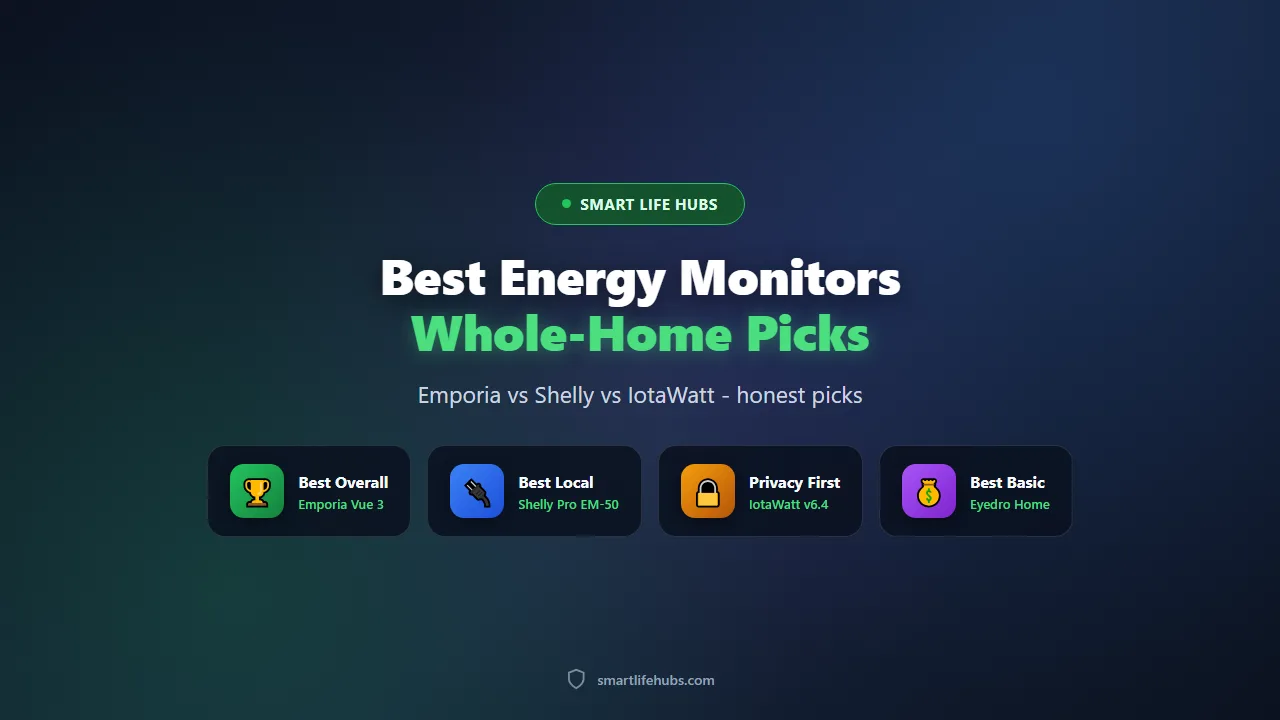
Best whole-home energy monitors of 2026 clamp onto the wires in your consumer unit and tell you where the electricity actually goes, which is the one piece of information most households never see. I have used a circuit-level monitor for two years and tried a whole-home monitor alongside it, and the honest finding is that the cheap clamp-on units are the better buy for almost everyone, while the expensive ones earn their price only if you want appliance detection or a fully local data setup.
One name in this category needs a warning before anything else: Sense, which used to be the most recommended monitor on the market, stopped selling consumer hardware at the end of 2025 and is no longer a new-purchase recommendation. Existing monitors remain supported and some households get Sense features through their utility or a compatible smart meter, but you cannot buy one new, so this roundup covers it honestly and points you at the alternatives that are actually available.
Prices below are US retail captured in November 2026 and they move with the sensor count, because most of these units are sold in kits.
At a glance
| Product | Best for | Key specs | Price |
|---|---|---|---|
| Emporia Vue 3 | Best overall | Up to 16 branch circuits, 2 mains CTs, plus or minus 2 percent | About 99.99 to 199.99 USD |
| Shelly Pro EM-50 | Best local control | 2 channels, DIN rail, local API and MQTT, no cloud required | About 119.99 USD |
| IoTaWatt v6.4 | Best for privacy | Up to 14 inputs, fully local, open source, Grafana and Home Assistant | About 222 USD hub only |
| Eyedro Home | Best basic whole-home | Whole-home only, plus or minus 2 percent, web dashboard | About 139 to 165 USD |
| Sense (discontinued) | Best appliance detection, no longer sold | 2 mains CTs, machine learning, whole-home only | Was 299 USD |
The best whole-home energy monitors of 2026
1. Emporia Vue 3, best overall
The Vue 3 is the monitor most households should buy, and it is not close on value. The monitor-only kit with two 200A main sensors is about 99.99 USD, the 8-sensor kit about 149.99 USD and the 16-sensor kit about 199.99 USD, and the branch sensors are 50A clamps that give you a direct measurement of individual circuits rather than a guess. Accuracy is rated at plus or minus 2 percent with 24,000 samples per second, it connects over 2.4GHz Wi-Fi or Ethernet, and there is no subscription. It supports solar net metering, integrates with Alexa and Google Home, and the owner community has added Home Assistant support through ESPHome. The honest downsides are a one-year warranty and no official local API out of the box, so a privacy-first buyer needs to flash ESPHome or use the community integration.
Pros
- Up to 16 branch circuits for under 200 USD, no subscription
- Plus or minus 2 percent accuracy with 24,000 samples per second
- Wi-Fi or Ethernet, solar net metering and a polished app
Cons
- Only a one-year warranty
- No official local API without a community firmware flash
Check today’s price on Amazon.
2. Shelly Pro EM-50, best local control
The Shelly Pro EM-50 is the pick if you want your energy data to stay on your own network. It is a DIN-rail, two-channel energy meter at about 119.99 USD with a local API, MQTT and full Home Assistant integration, and it works without any cloud account. That makes it the natural choice for a smart home built around local control, and it is also the cheapest way to meter a couple of important circuits, like an EV charger and an heat pump. The trade-off is that two channels is all you get, so it is a monitor for specific loads rather than a whole-house circuit map.
Pros
- Local API and MQTT, no cloud required
- Native Home Assistant integration
- About 119.99 USD for two channels
Cons
- Only two channels, so not a whole-house monitor
- Needs a DIN rail and a Shelly ecosystem for the best experience
Check today’s price on Amazon.
3. IoTaWatt v6.4, best for privacy
IoTaWatt is the open-source, local-first option and the one to buy if you want ownership of your data. It supports up to 14 current transformer inputs, stores everything locally, and integrates with Home Assistant, InfluxDB and Grafana out of the box, so you can build your own dashboards with no cloud and no subscription. The hub-only kit is about 222 USD and a 14-CT pro kit from CircuitIQ, the company now making the design, is about 430 USD, which is more than a Vue 3 with the same sensor count. You are paying for open hardware, local storage and the community tooling rather than a polished app.
Pros
- Fully local, open-source hardware and software
- Up to 14 inputs with Grafana and Home Assistant support
- No subscription and no cloud dependency
Cons
- About 222 USD for the hub alone, more than a comparable Vue 3
- Requires more setup than a plug-in consumer monitor
Check today’s price on Amazon.
4. Eyedro Home, best basic whole-home
Eyedro is the honest budget option for a household that just wants to see its total usage without a circuit map. It clamps onto the two mains, reports whole-home consumption to a web dashboard, and is rated at plus or minus 2 percent, at about 139 to 165 USD. There is no subscription, and the setup is the simplest here. The trade-off is that you cannot see which circuit is using the power, so you can spot a problem but not diagnose it without walking around switching things off.
Pros
- About 139 to 165 USD for whole-home monitoring
- Plus or minus 2 percent accuracy with no subscription
- Simple install and a web dashboard
Cons
- No per-circuit breakdown
- Fewer integrations than the Emporia or Shelly
Check today’s price on Amazon.
5. Sense, best appliance detection but no longer sold
Sense deserves a place in this list because it was the monitor most buyers were pointed at for years, and it did something the clamp-on units still cannot match: it used two mains sensors and machine learning to identify individual appliances from the whole-home waveform, without a sensor on each circuit. It was about 299 USD and it worked well enough that reviewers recommended it ahead of everything else. The problem is availability. Sense stopped selling consumer monitor hardware at the end of 2025, the company says existing monitors remain supported, and some households can get Sense features through a participating utility or a compatible smart meter. You cannot buy one new, so it is not a recommendation for a new purchase, and the honest alternatives are a circuit-level monitor like the Vue 3 or a local setup like the IoTaWatt.
Pros
- Appliance detection without a sensor on every circuit
- Only two mains sensors, so the install is simple
Cons
- Discontinued, no longer sold new
- Was 299 USD, and support will wind down over time
Check today’s price on Amazon.
How to choose the best whole-home energy monitor
Start with the question you want answered, because it decides the whole category. If you want to know which circuit is using the power, buy a monitor with branch sensors, like the Emporia Vue 3 or the IoTaWatt. If you want to know your total usage and spot unusual patterns, a whole-home monitor like the Eyedro is cheaper and simpler. If you want to automate your home from the data, a local unit like the Shelly or the IoTaWatt is the one that will talk to Home Assistant.
Then check the installation situation, because a monitor is only useful if it gets fitted. All of these clamp onto the wires inside your consumer unit, which means working near live parts, and a qualified electrician is the safe choice even though a confident DIYer can do it. If you do it yourself, isolate the supply, use the correct sensor sizes, and never force a clamp onto a cable it does not fit.
Count the circuits you actually want to monitor, because the sensor count drives the price. Two mains sensors and a handful of branch sensors cover most homes, while a full 16-circuit map costs more and takes longer to install. Start with the big loads, the kitchen, the HVAC, the water heater, the EV charger and the dryer, and add circuits later if the unit supports it.
Decide about the cloud, because it is the real difference between these units. Emporia and Eyedro are cloud-first, which gives a polished app and remote access but sends your usage data to a server. Shelly and IoTaWatt are local-first, which keeps the data in your house and works when the internet is down, at the cost of a little more setup. If privacy matters to you, buy local.
Finally, calibrate before you trust the numbers. Compare the monitor’s whole-home reading against your utility meter over a day, and check a known load like a kettle or a heater on a branch sensor. A monitor that is ten percent out will still show trends, but it will mislead you about absolute savings, so spend an hour getting it right before you change your habits based on it. A detailed 2026 comparison at homeenergygeek.com/articles/home-energy-monitoring-systems-2026 tracks the accuracy, the subscription policies and the per-circuit counts of the current models.
Living with an energy monitor
Label the sensors as you install them, because an unlabelled monitor is a waste. Switch each circuit on one at a time, watch which sensor reacts, and name it in the app. The half hour you spend here is the difference between a useful tool and a graph you ignore.
Give it a fortnight before you draw conclusions. The first days are dominated by your curiosity and by unusual behaviour, so wait for a normal week before deciding what to change. Look for the always-on baseline first, because a handful of standby loads often accounts for a surprising share of a bill, and they are the easiest to fix.
Set alerts for the things that matter, like a circuit that stays on when it should not, a water heater that runs for hours, or a whole-home usage that spikes above your norm. An alert is more useful than a graph, because it tells you something is wrong while it can still be fixed.
Revisit the tariff once a year, because the monitor will show you whether your current plan still suits your usage. If the data shows a lot of overnight consumption, a time-of-use tariff might save money, and if it shows a high always-on baseline, a different plan will not help until the standby loads are dealt with.
Pair the monitor with the rest of the home, because the data is more useful when it drives something. Our guide to the best smart plugs with energy monitoring covers the plugs that report individual appliances, and the best balcony solar plants are the generation side of the same picture.
Frequently asked questions
Frequently Asked Questions
6Do I need an electrician to install an energy monitor?
The sensors clamp onto the wires inside your consumer unit, so the work is near live parts and a qualified electrician is the safe choice. A confident DIYer can do it by isolating the supply and following the instructions, but the risk is real and some insurers expect a professional install.
Are energy monitors accurate?
Good clamp-on monitors are typically rated at plus or minus 1 to 2 percent, and owners report the sensors are sensitive down to a few watts. Calibrate against your utility meter before trusting the absolute figures, and use the trends rather than the last digit.
Do energy monitors require a subscription?
Most do not. Emporia, Shelly, IoTaWatt and Eyedro all offer their core monitoring without a monthly fee. Some brands charge for advanced features or an API, so check before you buy.
What is the difference between a whole-home monitor and a circuit monitor?
A whole-home monitor uses two clamps on the mains and reports total usage. A circuit monitor adds clamps on individual breakers, so you can see which room or appliance is responsible. Circuit monitoring costs more and takes longer to install but is far more useful for finding waste.
Is the Sense energy monitor still worth buying?
Not as a new purchase. Sense stopped selling consumer hardware at the end of 2025 and points existing owners to continued support and utility programmes. If you find one second-hand it can still work, but the long-term support is uncertain, so a Vue 3 or an IoTaWatt is the safer buy.
Can an energy monitor save me money?
Indirectly, yes. The monitor does not cut usage itself, but it finds standby loads, faulty appliances and habits worth changing. Most households can find a few percent of waste, and the monitor pays for itself over a couple of years if you act on what it shows.
The bottom line
Buy the Emporia Vue 3 for most homes. The 16-sensor kit at about 200 USD gives you per-circuit data, plus or minus 2 percent accuracy, no subscription and a polished app, and it is the best value in this category by a clear margin. Start with the monitor-only kit at about 100 USD if you only want whole-home usage, and add branch sensors later.
If you want your data to stay local, buy the Shelly Pro EM-50 for a couple of important circuits or the IoTaWatt for a full local setup with Grafana and Home Assistant. If you just want a simple whole-home number, the Eyedro at about 139 to 165 USD does the job with the least fuss.
And skip Sense as a new purchase. It was the best appliance-detection monitor of its time and it is a genuine loss to the category, but it is no longer sold, so the honest recommendation is a circuit-level monitor or a local alternative. Whichever you choose, get it installed safely, calibrate it against your meter, and act on the always-on baseline first, because that is where most households find the easiest money.


Leave a Comment