
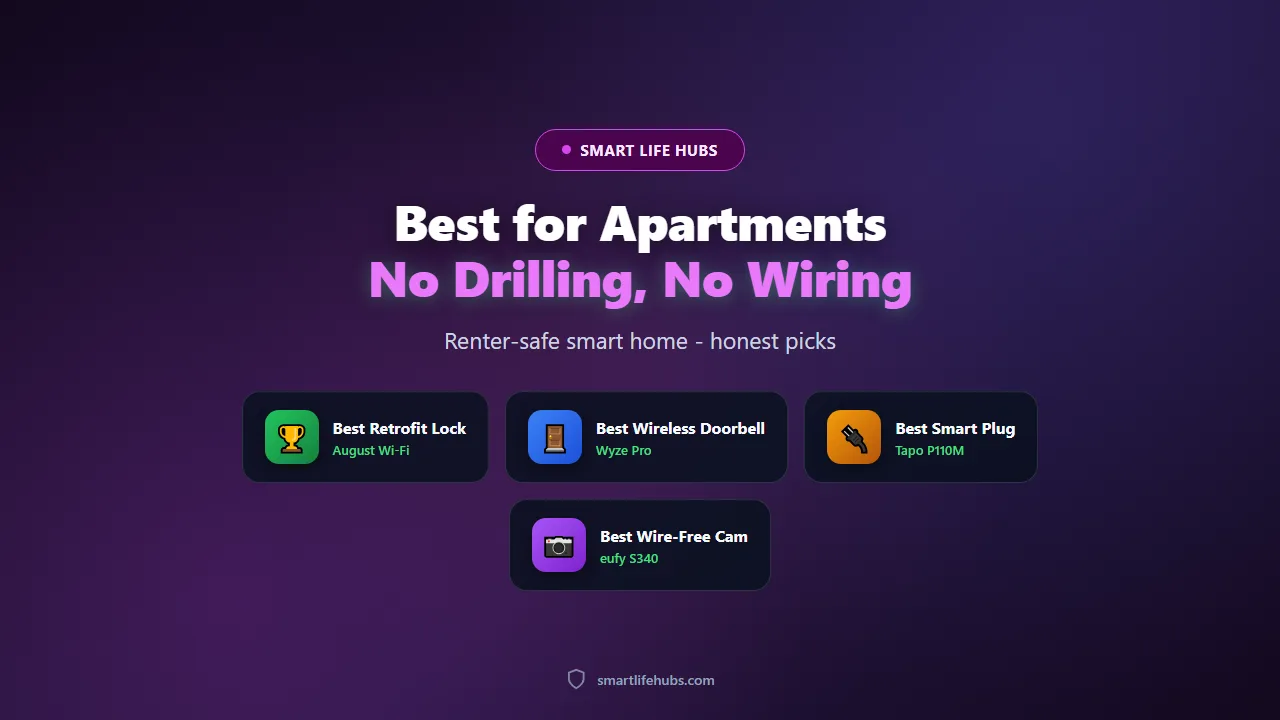
Best smart home devices for apartments in 2026 are the ones that need no drilling, no rewiring and no permission from a landlord, and the honest finding after fitting out two rentals is that you can build a genuinely useful system for under 350 dollars and take all of it with you. The mistake most people make is starting with the gadgets they see in a showroom, when the right order is the things that solve a rental problem: a lock that keeps the landlord’s deadbolt, a doorbell that needs no wiring, plugs and bulbs that plug in, and a camera that sticks up with adhesive.
The second thing to understand is that a rental smart home is judged by what you leave behind, not by what you install. Every device should come off with a Command strip, a screwdriver or a simple unplug, and anything that needs a neutral wire, a new deadbolt or a hole in the render should be left in the shop unless the landlord has agreed in writing.
Prices below are US retail captured in November 2026 and they move with sales.
At a glance
| Product | Best for | Key specs | Price |
|---|---|---|---|
| August Wi-Fi Smart Lock (4th Gen) | Best retrofit lock | Fits over the existing deadbolt, no replacement | About 130 to 230 USD |
| Wyze Video Doorbell Pro | Best wireless doorbell | Battery, own plug-in chime, microSD, no wiring | About 90 to 110 USD |
| TP-Link Tapo P110M | Best smart plug | Matter, energy monitoring, compact, no hub | About 15 to 30 USD |
| Nanoleaf Essentials A19 | Best smart bulb | Matter, Thread, screw-in, no hub | About 20 USD |
| eufy SoloCam S340 | Best wire-free camera | Solar and battery, 8GB built in, no plan | About 120 to 220 USD |
The best smart home devices for apartments
1. August Wi-Fi Smart Lock (4th Gen), best retrofit lock
The August is the pick because it solves the rental lock problem without touching the outside of the door. It mounts on the interior side of the deadbolt you already have, so the landlord’s keys still work, the exterior hardware stays untouched and the whole thing comes off in minutes with the original deadbolt back in place. It gives you phone unlocking, access codes, auto-unlock and remote access, and it costs about 130 to 230 dollars. The honest trade-offs are a battery you have to change, an app that is less polished than the lock’s marketing suggests, and a body that sits on the inside of the door where it is visible rather than hidden.
Pros
- Retrofits over the existing deadbolt, so the landlord’s keys still work
- Phone unlocking, access codes and auto-unlock
- Comes off cleanly at move-out
Cons
- Batteries to change and a visible interior body
- App is less polished than the hardware
Check today’s price on Amazon.
2. Wyze Video Doorbell Pro, best wireless doorbell
The Wyze is the pick if your door has no doorbell wiring, because it runs on its own battery, ships with a plug-in chime so you do not need a wired chime, records to a microSD card with no monthly fee, and mounts with adhesive or two small screws that leave a mark a dab of filler hides. It costs about 90 to 110 dollars, and the honest trade-offs are a battery to recharge, a camera that is good rather than exceptional, and a design that is plainer than the August or the Aqara, so it is the pick for a door with nothing wired.
Pros
- Battery powered with its own plug-in chime, so no wiring needed
- Local microSD recording with no monthly fee
- About 90 to 110 dollars
Cons
- Battery needs recharging
- Camera is good rather than class-leading
Check today’s price on Amazon.
3. TP-Link Tapo P110M, best smart plug
The P110M is the pick because it is the cheapest useful automation in a rental, and it is small enough not to block the second socket in a duplex outlet, which matters when a flat has four sockets in total. It plugs in, it connects over Matter to Alexa, Google and Apple Home, it monitors energy so you can see what a heater or an air conditioner is costing, and it costs about 15 to 30 dollars. The honest trade-offs are no built-in dimming, a plastic body and an app that is functional rather than lovely, so it is the pick for lamps, fans and appliances rather than for a showpiece.
Pros
- About 15 to 30 USD, the cheapest useful automation
- Matter support and energy monitoring with no hub
- Compact enough not to block the second outlet
Cons
- No dimming and a plain plastic body
- App is functional rather than polished
Check today’s price on Amazon.
4. Nanoleaf Essentials A19, best smart bulb
The Nanoleaf is the pick if you want lighting that behaves, because it screws into any existing fitting, it connects over Thread with Matter so it works across Alexa, Google and Apple Home without a hub, and it is bright, dimmable and colour capable at about 20 dollars. The honest trade-offs are a need for a Thread border router for the best reliability, a white light that is good rather than exceptional, and the fact that a smart bulb in a rental means the wall switch must stay on, so it suits a lamp rather than a ceiling fitting you switch often.
Pros
- About 20 USD with Matter and Thread, no hub needed
- Screws into an existing fitting and works with any assistant
- Bright, dimmable and colour capable
Cons
- Best with a Thread border router
- Needs the wall switch left on, so it suits a lamp
Check today’s price on Amazon.
5. eufy SoloCam S340, best wire-free camera
The S340 is the pick if you want a camera inside or outside the flat with no wiring and no subscription, because it runs on a battery with an integrated solar panel, it stores 8GB locally, and it lifts off its magnetic mount to come with you when you move. It costs about 120 to 220 dollars, and the honest trade-offs are a need to recharge it if the solar does not keep up, a spotlight design that is visible, and an ecosystem that works best in the eufy app, so it is the pick for a renter who wants security without a contract.
Pros
- Battery plus integrated solar with no wiring
- 8GB local storage and no monthly plan
- Magnetic mount that comes off cleanly
Cons
- About 120 to 220 USD
- Needs recharging if the solar cannot keep up
Check today’s price on Amazon.
How to choose for an apartment
Start with the constraint, because the rental decides the category. If you cannot drill, you need adhesive mounts, battery power or plug-in devices. If you cannot rewire, you need a retrofit lock and a battery doorbell. If you cannot paint, you need to leave the walls alone. Write down what the lease forbids before you shop, because a device that breaks a clause is not a bargain.
Then buy in the order that solves problems, because a flat does not need a whole system at once. Start with the lock if you want keyless entry, then the doorbell if you want to see the door, then plugs and bulbs for the lamps and appliances, then a camera if you want security. A 15 dollar plug that switches a heater on before you get home is worth more than a 200 dollar gadget you will not use.
Check the removal before you buy, because a device that needs a filler patch and a paint match is not renter-friendly. Adhesive mounts, magnetic mounts and tension fits come off cleanly, screws into drywall are a grey area, and screws into a door frame or the render are a no. Keep the original fittings in a box so you can put everything back.
Think about the hub and the internet, because a flat with one router in the hall may not reach a camera on the street door. A Matter device with Thread or a local-only hub reduces the dependence on the cloud, and a mesh node in the hallway can make the difference between a camera that works and one that drops out.
Finally, be honest about whether you will take it with you, because a smart home you leave behind is money spent on the next tenant. Buy the devices that plug in, screw in or stick up, and avoid the ones that need a new switch, a new deadbolt or a hole in the wall. HomeGearLab’s 2026 renter roundup at homegearlab.org/best-smart-home-devices-for-renters covers the no-drill picks and the removal question.
Living with a rental smart home
Move-in and move-out
Do a walk-through before you install, because the marks you make are easier to avoid than to repair. Look at where the sockets are, where the door swings and where the only shelf is, and plan the devices around the flat’s existing layout rather than forcing a layout that needs a hole in the wrong wall. A flat with one wall socket in the kitchen cannot host a plug-in hub and a kettle on the same outlet, so plan the power before you buy.
Keep a move-out kit in a drawer, because the day you leave will be busy enough. Put the original lock parts, the adhesive strips, a filler pen, a screwdriver and the device boxes in one bag, and check it against the inventory you made on day one so nothing is left stuck to a wall.
Photograph the flat before you install anything, because a move-out inspection goes much more smoothly with evidence of what was where. Take a picture of each wall, each door and each socket before you stick, screw or plug anything in, and keep the photos with your lease.
Label the cables and the adapters, because a box of anonymous chargers and hubs is a box you will not reassemble at the other end. Put a label on each device with the room it came from, and keep the original packaging for the lock, the doorbell and the camera, which is what you will pack them in.
Test the removal on one device first, because a Command strip that has been on a wall for two years may take paint with it when it comes off. Pull slowly with a dental floss technique, use a hairdryer to soften the adhesive, and keep a filler pen and a spare paint pot for the marks that do appear.
Keep the originals and put them back, because a landlord will check the deadbolt, the switches and the fixtures at move-out. Put the original lock, the original doorbell plate and any fittings you removed back in the box, and budget an hour at move-out to reinstall them.
Use the automations rather than the gadgets, because the value of a rental system is the routine rather than the hardware. Set a leaving-home scene, an arriving-home scene and a night scene, and let the flat run itself. For the wider setup, our renters guide covers the zero-landlord-impact approach, and the apartment space-saving guide covers the compact hardware.
Frequently asked questions
Frequently Asked Questions
6Do I need permission to install smart devices in a rental?
For anything that plugs in, screws into a bulb fitting or sticks with adhesive, usually no. For a lock, a thermostat, a switch or a doorbell that replaces wired hardware, ask first, because those alter the fixtures and the lease may require the landlord’s written consent.
Can I take a smart lock with me when I move?
A retrofit lock like the August comes off in minutes and you reinstall the original deadbolt, so yes. A lock that replaces the deadbolt is usually a fixture and should stay unless the lease says otherwise.
Do smart bulbs work in a rental?
Yes, as long as the wall switch stays on. A smart bulb needs constant power, so it suits a lamp you control from the app rather than a ceiling light on a wall switch that someone will flick off.
Do I need a hub for a rental smart home?
Not necessarily. Matter devices work with the assistant you already use, and a Thread bulb or a Matter plug needs no hub. A local-only hub like Home Assistant Green helps if you want the system to keep working when the internet drops.
Will a security camera upset the neighbours?
A camera pointed at your own door and your own flat is normal, but a camera that records a shared hallway or a neighbour’s window can be a genuine problem. Check the lease and the local rules, and angle the camera at your own space.
What is the cheapest useful rental smart home?
A smart plug, a couple of smart bulbs and a water leak sensor under the sink will cost under 100 dollars, need no drilling and come with you. Add a retrofit lock and a battery doorbell when the budget allows.
The bottom line
Buy the August Wi-Fi Smart Lock at about 130 to 230 dollars if you want keyless entry without losing the landlord’s keys, because it retrofits over the existing deadbolt and comes off cleanly at move-out.
Buy the Wyze Video Doorbell Pro at about 90 to 110 dollars if your door has no wiring, the TP-Link Tapo P110M at about 15 to 30 dollars for automation, the Nanoleaf Essentials at about 20 dollars for lighting, and the eufy SoloCam S340 at about 120 to 220 dollars for a wire-free camera with no subscription.
The rule that matters more than any product is that everything must come off without a trace. Buy the plug-in, screw-in and adhesive devices, keep the originals in a box, and leave the flat exactly as you found it, because a deposit returned is worth more than a smart home left behind.

Leave a Comment