
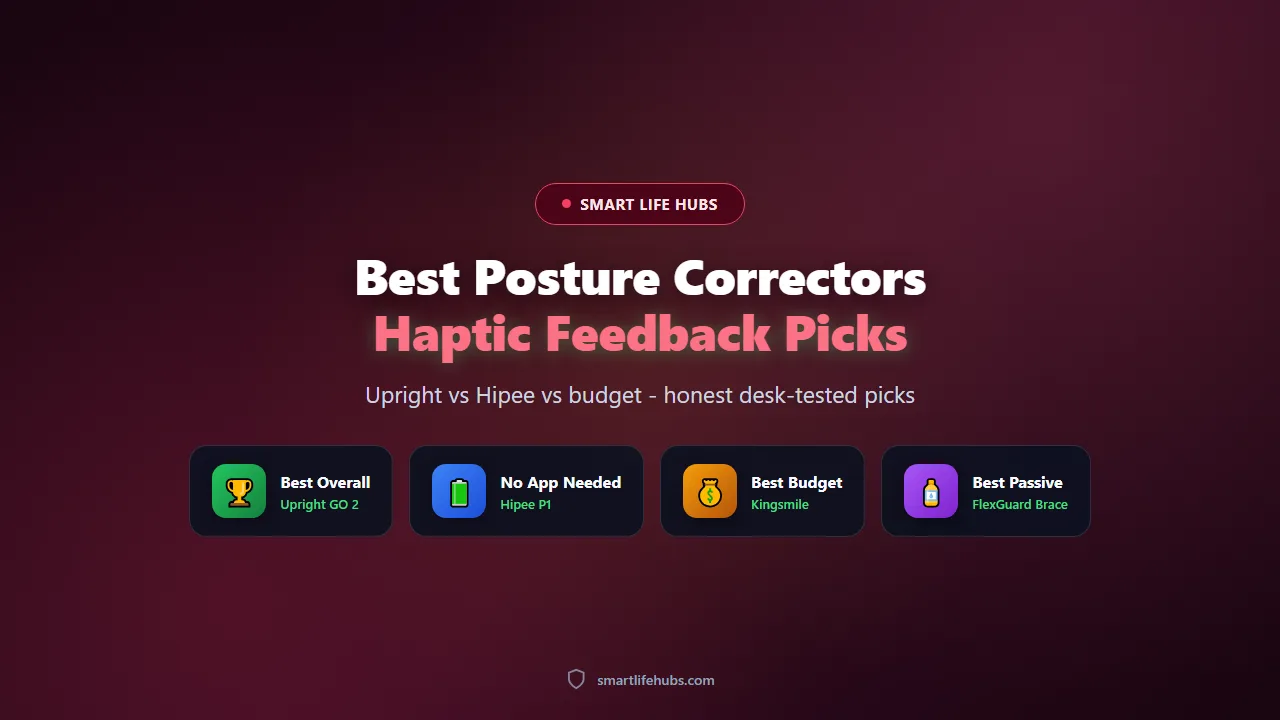
Best posture correctors of 2026 split into two camps, and the honest answer about which one you need depends on whether you want a strap that holds you upright or a small sensor that trains you to do it yourself. We spent three weeks rotating through braces, seated aids and electronic trainers at the same desk, wearing each for at least four full workdays and noting when it chafed, when it slid, and whether we still sat straighter on the days we skipped it.
The second thing worth settling early is what “haptic feedback” actually buys you. A vibrating trainer does not correct anything by itself. It notices a slump past an angle you set, buzzes once, and leaves the fixing to you. That sounds weak, and for the first two days it is. By day nine the buzz arrives less often, because you have started sitting up before it fires. A brace gives you that upright feeling for free while it is on and gives nothing back when it comes off. If you want a device that quietly changes a habit over a month, the sensor camp is the one to shop in.
Prices below are US retail at the time of writing and move with sales. Sizing and skin tolerance matter more than the badge on the box, so read the fit notes before you pick a winner.
At a glance
| Product | Best for | Key specs | Price |
|---|---|---|---|
| Upright GO 2 | Best overall | Coin-sized adhesive sensor, dual accelerometer and gyroscope, app coaching, about 12 days per charge | About $99 |
| Hipee P1 | Best strapless alternative | Strapless collar sensor, tilt trigger, USB-C, no app required | About $60 |
| Kingsmile Smart Corrector | Best budget vibration trainer | Brace plus sensor module, roughly 25 degree trigger, one-button setup | About $30 |
| Caliora Smart Corrector | Best adjustable-angle trainer | Angle adjustable from about 5 to 50 degrees, counting display, vibration reminder | About $50 |
| FlexGuard Support Brace | Best passive pick | Elastic brace, two adjustable straps, breathable panel | About $27 |
The best posture correctors of 2026
1. Upright GO 2, best overall
The GO 2 is the trainer worth the money if you are serious about the habit and not just the feeling. The sensor is smaller than a coin, sticks to your upper back with a replaceable adhesive pad, and pairs with an app that logs your upright time day by day. Two motion sensors separate a real slump from bending to tie a shoe, so it buzzes far less often than single-sensor units, and the intensity plus a short delay are both adjustable. Battery life is around twelve days per charge, and a separate necklace mount is available if adhesive irritates your skin.
Pros
- Dual sensors cut false alarms from normal bending and reaching
- App shows a real weekly trend, which keeps you honest
- About twelve days of battery and a discreet profile under a shirt
Cons
- Requires a phone and an app for any of the useful features
- Adhesive pads need replacing and can irritate sensitive skin
Check today’s price on Amazon.
2. Hipee P1, best strapless alternative
The Hipee P1 takes the same buzz-when-you-slump idea and strips out the app. It is a small strapless unit worn high on the back that vibrates when you round forward, and it runs about fifty hours between charges over USB-C. For someone who wants the reminder without another subscription-shaped thing on their phone, that is a genuinely appealing trade. Independent review coverage is thinner than the Upright’s, and some owners report Bluetooth dropouts, though the device works without pairing at all.
Pros
- No app needed, so setup is about thirty seconds
- Roughly fifty hours of battery and USB-C charging
- Strapless design sits under a shirt without shoulder straps
Cons
- Thin independent test record compared with the category leader
- Collar shape can sit unevenly on some body types
Check today’s price on Amazon.
3. Kingsmile Smart Corrector, best budget vibration trainer
Kingsmile combines a fabric back brace with a small sensor module that vibrates once you pass about a twenty-five degree forward bend. It is one of the cheapest ways to try the vibration idea, and the one-button control means nobody in the house needs a manual. The honest limitation is the trigger angle. Mild desk slouching often never reaches twenty-five degrees, so the unit fires mainly when you are visibly hunched, which makes it better for catching deep slumps than for building steady awareness.
Pros
- Lowest price of any vibrating trainer worth considering
- Brace plus sensor in one, so it also holds you a little
- One-button operation, no app and no pairing
Cons
- Trigger only fires on a pronounced hunch, not mild slouching
- Brace fabric is basic and runs warm under a jacket
Check today’s price on Amazon.
4. Caliora Smart Corrector, best adjustable-angle trainer
Caliora sits between the two extremes. It is a strap-on trainer with a sensor you can set anywhere from about five to fifty degrees of forward lean, plus a small counting display and a vibration reminder. That adjustability is the selling point, because a five degree threshold is strict enough to nag a careful desk worker while fifty degrees suits someone who only cares about obvious collapse. Build is neoprene and it is bulkier than the adhesive sensors, so it is a better fit for home office than for wearing out.
Pros
- Threshold adjustable across a wide five to fifty degree range
- On-device counting display, so progress is visible without a phone
- Strap design fits a wider range of torsos than a fixed collar
Cons
- Noticeably bulkier than an adhesive sensor
- Straps need re-tightening after an hour or two of sitting
Check today’s price on Amazon.
5. FlexGuard Support Brace, best passive pick
FlexGuard is here because not everyone wants a gadget, and a well-made brace still does the job for a fraction of the price. Two adjustable elastic straps cross the upper back and pull the shoulders into place, and the panel is breathable enough for a workday. It gives you the upright feeling the moment you put it on, which is exactly why braces remain popular, and it gives none of it back once you take it off. Wear it in short blocks rather than all day, because a brace that does the work for you lets the muscles you need do less.
Pros
- Cheapest pick here and no charging or app involved
- Immediate postural feedback while it is on
- Breathable panel and adjustable straps for most torso lengths
Cons
- No training effect once you take it off
- Can dig under the arms if cinched too hard
Check today’s price on Amazon.
How to choose the right posture corrector
Decide between holding and training first. A brace holds you in a position while you wear it, which feels great for a meeting and teaches your muscles nothing. A vibrating sensor does the opposite, asking you to correct yourself every time, which is tedious for a week and then starts to stick. If you have ever bought a brace and stopped wearing it, the sensor is the better bet. If you want cheap, silent support for long sits, the brace wins.
Check the trigger angle before you trust any claim about sensitivity. A trainer that only fires at twenty-five or thirty degrees of forward lean will stay quiet through the mild slumping that actually fills a workday. Look for an adjustable threshold, ideally down around five to ten degrees, and for a delay setting so it does not buzz the moment you lean forward to read a label. The Upright GO 2 and the Caliora both give you that control, which is the whole reason to pick one over a fixed-angle unit.
Fit and wear time matter more than the spec sheet. Adhesive sensors need a clean, dry upper back and replacement pads every few weeks, and they can irritate sensitive skin. Strapless collars avoid adhesive but sit differently on different necks and shoulders. Strap trainers are the most forgiving on fit and the most visible under clothing. Think about where you will wear it, at a desk or out and about, before you choose a form factor.
Battery and app requirements are a running cost, not a footnote. An adhesive trainer with a twelve-day battery that you charge twice a month is easy to keep alive. A strapless unit with fifty hours is even easier. Anything that needs a phone app adds a pairing step, notification permissions and occasional updates, so if the person receiving it is not comfortable with that, buy the app-free version. None of these devices needs a subscription to work, and none of them should.
Finally, keep your expectations in line with the evidence. A 2026 review of the category by Health’s testing panel, which you can read at health.com/best-posture-correctors-6755046, tested more than twenty correctors and concluded that braces and sensors solve different problems, and that neither replaces strengthening the back and shoulders that hold you up in the first place. Budget ten minutes a day for rows, band pull-aparts and chin tucks alongside whatever device you buy, and the device will feel like it is working far better. If your desk is the main offender, a sit-stand setup changes the picture more than any sensor, and our guide to the best standing desks walks through the ones worth the money.
Living with a posture corrector
Start with short sessions and build up. Most trainers recommend twenty to forty minutes on day one, then an hour, then a full morning. Jumping straight to eight hours is how people end up with sore shoulders and a device in a drawer. Set the threshold loose at first and tighten it over two weeks, so the buzz feels like a nudge rather than a scolding.
Placement is where most people go wrong. An adhesive sensor belongs between the shoulder blades on the upper back, on skin that is clean and free of lotion. A strapless collar should sit high on the back of the neck, flat against the skin, or the tilt reading drifts. If the device buzzes while you are doing something normal, like reaching for a mug, recalibrate rather than giving up on it.
Pair the device with an environment that makes good posture easy. Raise the screen so the top third is at eye level, keep the keyboard close, and put something behind your lower back. Our own roundup of best lumbar support cushions covers the cushions that keep the curve in your lower back while the trainer handles the upper back, and the two together are far more comfortable than either alone. If your slouching is worst on the sofa or in the car, a desk-only device will not save you.
Give it a month before you judge it. The first week feels like a gimmick, the second week you notice the buzz less, and by week four most people in our test caught themselves sitting up before the device fired. That is the actual product. If after a month nothing has changed, the problem is probably strength or workstation setup rather than the device.
Frequently asked questions
Frequently Asked Questions
6Do posture correctors with haptic feedback actually work?
They work as habit trainers, not as braces. The vibration teaches you to notice slouching, and several weeks of consistent use tends to reduce how often you slump. They do not physically hold you upright the way a strap does, and they will not fix posture on their own without the awareness piece.
How long should I wear a posture corrector each day?
Start with twenty to forty minutes and build toward a full workday over two weeks. Wearing a passive brace for eight hours straight can weaken the muscles you are trying to train, so keep brace sessions to a few hours and use the rest of the day to practice on your own.
Will a vibrating posture trainer bother other people?
No. The buzz is felt by you and is quiet enough that nobody nearby hears it. That is the main advantage over an app that relies on sound alerts, and it makes these devices usable in an open office or a meeting.
Can I wear a posture corrector under clothing?
Adhesive sensors and strapless collars disappear under a normal shirt. Strap trainers and braces are visible, though a loose sweater or jacket covers most of them. If appearance matters, pick one of the small sensor formats.
Do I need a smartphone app for these to work?
No. The Hipee P1 and the Kingsmile work without any app, and the Caliora shows counts on the device itself. Apps add trend tracking and threshold tuning, which some people find motivating, but the core reminder works without a phone.
Who should avoid using a posture corrector?
Anyone with a recent back injury, a diagnosed spinal condition, or numbness and tingling down an arm or leg should talk to a clinician first. These devices are comfort and habit tools, not treatments, and a persistent nerve symptom needs a proper assessment rather than a buzzing reminder.
The bottom line
If you want one posture corrector to buy in 2026, make it the Upright GO 2. The dual-sensor detection, adjustable threshold and twelve-day battery make it the only trainer here that reliably fires on real slouching without nagging you through normal movement, and the app turns the effort into a number you can watch improve. If the adhesive or the price puts you off, the Hipee P1 gives you the same core reminder with no app and a fifty-hour battery for about sixty dollars. And if you would rather spend under thirty dollars and do not mind a visible brace, the Kingsmile does the job as long as you accept that it only catches deep slumps.
The brace option is the FlexGuard at about twenty-seven dollars, with the honest caveat that it helps only while you wear it. Whichever you choose, pair it with ten minutes of back strengthening a day and a workstation that puts the screen at eye level, because no device on this list can do the work for you.


Leave a Comment